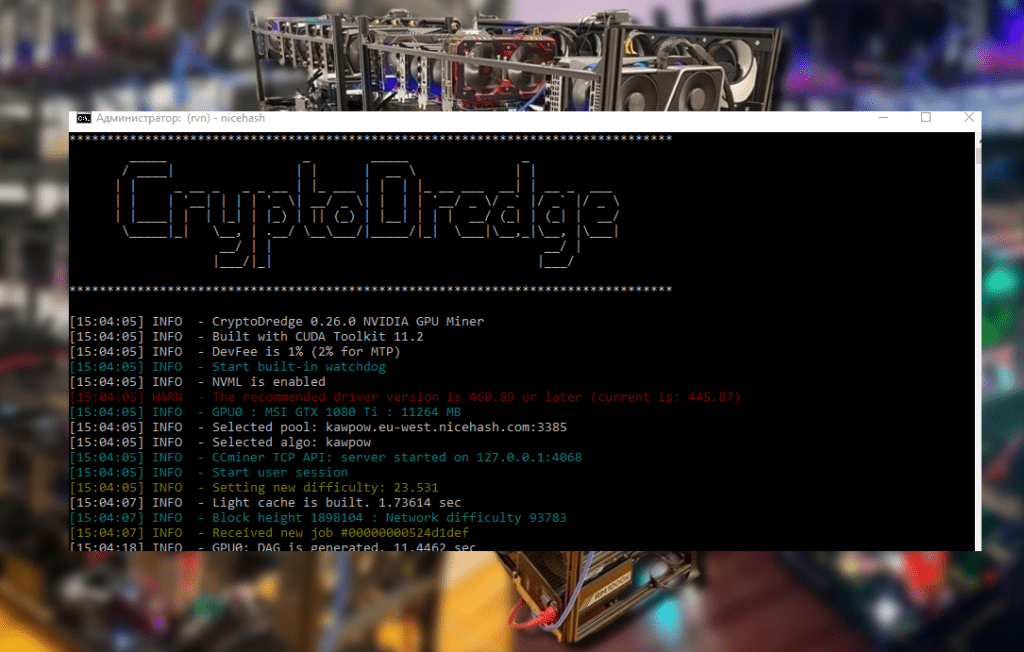
An advanced guide to using ElphaPexTool on Windows: searching for ASICs on the network, mass pool configuration, firmware updates, and managing ElphaPex miners. Suitable for experienced users and farm owners.
ElphaPexTool – Centralized ASIC Management Without the Hassle
Mining infrastructure always has two levels of tasks. The first is mining coins. The second is hardware administration. While the first is more or less straightforward, the second often devolves into an endless series of manual steps: searching for IP addresses, logging into the web panel, changing settings, rebooting, checking the status. When there’s just one ASIC, it’s manageable. When there are ten or more, it’s not quite that simple.
For this very purpose, ElphaPex developed ElphaPexTool, a proprietary utility for centralized management of devices on a local network. The tool is comparable in functionality to solutions from other ASIC manufacturers and is primarily designed for owners of multiple devices or small farms.
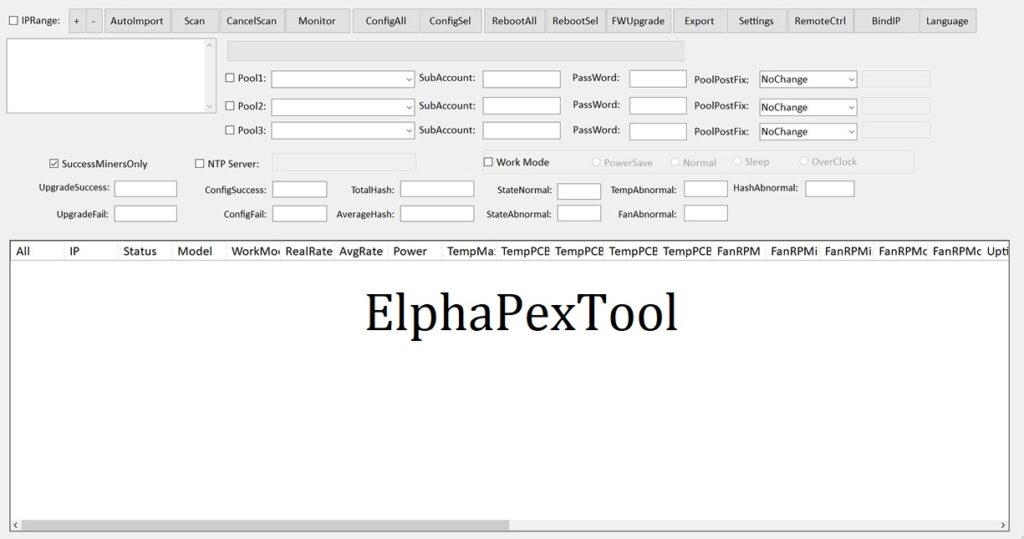
Purpose of the utility and its architecture
ElphaPexTool is a network scanner and configuration tool designed for use within a single subnet. The program doesn’t connect to the cloud and doesn’t require external services. All communication logic occurs directly between the PC and the ASIC over the local network.
Main functions:
- Automatic detection of ElphaPex miners;
- display of network parameters and current status of devices;
- mass customization of pools;
- centralized reboot;
- Batch firmware update;
- changing passwords and basic access parameters;
- hashrate and temperature monitoring.
The utility’s interface is minimalistic and focused on practical use without unnecessary visual elements.
Downloading ElphaPexTool
Download source
We recommend downloading the utility exclusively from the official ElphaPex website in the support and downloads section. The file is distributed in an archive and does not require installation.
After downloading:
- unzip the archive into a separate folder;
- Make sure that the computer and ASIC are on the same local network;
- run the file
ElphapexTool.exe.
If Windows displays a security warning, confirm the launch, provided that the file was obtained from an official resource.
How to set up ElphaPex DG Home
1. Connect the power and connect the Ethernet cable.
2. Go to , hover your mouse over the “Support” tab at the top and click “Technical Support”.
3. Download ElphaPexTool.
4. Once the download is complete, extract the file, open the tool, and click “Scan” in the menu. This will scan for any ElphaPex DG Home 1 devices connected to the current network.

5. After scanning, double-click the IP address of the detected ElphaPex DG Home 1 to access its control panel.

6. Go to the “Miner Settings” section, enter the mining pool address and miner name, and click “Save.” Your ElphaPex DG Home 1 will now be fully operational.

Preparing infrastructure before launch
Before scanning your network, it is important to check several parameters:
- ASIC is connected to the router via Ethernet;
- the power supply is stable and the device is fully loaded;
- The PC is in the same subnet;
- Windows Firewall does not block local network communication.
In practice, most ASIC detection issues are related to network configuration rather than the utility itself.
Searching for ASICs online
After launching, ElphaPexTool automatically initiates a scan. If the automatic scan is not activated:
- Specify the IP range of your network (for example, 192.168.1.1–192.168.1.254);
- click Scan or Start;
- Wait for the verification to complete.
The table will display the found devices, indicating their IP address, model, and current status.
If ASIC is not detected:
- check your router’s DHCP settings;
- temporarily disable third-party firewall;
- Make sure the network is not divided into VLANs.
Configuring pools via the web interface
The most universal configuration method is via a browser:
- Double-click on the device IP in the utility;
- log in (default root/root);
- open the mining settings section;
- specify the pool address, worker and password;
- save the settings;
- perform a reboot.
This method remains basic and is suitable for a single setup.
Bulk configuration via ElphaPexTool
For multiple devices, it makes sense to use the utility’s own functions:
- select one or more ASICs from the list;
- open the Config section;
- fill in the pool parameters;
- apply settings to selected or all devices;
- If necessary, perform a mass reboot.
When scaling a farm, this mechanism significantly reduces labor costs, especially when replacing a pool or changing the operating logic.
Equipment condition monitoring
ElphaPexTool displays key parameters:
- current hashrate;
- chip temperature;
- fan speed;
- continuous operating time.
Regular monitoring allows for the prompt identification of:
- overheat;
- decreased productivity;
- unstable network operation.
For professional use, it is recommended to periodically compare the utility’s indicators with the pool data.
Firmware update
ASIC firmware affects stability and power efficiency. Update procedure via ElphaPexTool:
- Download the latest firmware from the official website;
- open the update section in the program;
- specify the path to the firmware file;
- select devices;
- Run the update.
Do not turn off the power during the process. Once complete, the devices will automatically reboot.
Security Management
After the initial setup, it is recommended:
- change the default password;
- restrict access to the local network;
- If possible, use a static IP;
- disable unused services.
Password management can be performed centrally via ElphaPexTool, which is convenient for large numbers of devices.
Use on Linux and macOS
There is no official version for Linux and macOS.
Alternatives:
- launch via Wine;
- using a virtual machine with Windows;
- IP search through network scanners and work exclusively through the ASIC web panel.
The web interface covers basic functionality, but for large-scale operations, the Windows version of the utility remains the preferred option.
Practical application in farms
In a small farm environment, ElphaPexTool becomes an operational control tool:
- speeds up the initial initialization of new devices;
- allows you to change the configuration centrally;
- reduces the risk of errors during manual configuration;
- simplifies software updates.
When operating several dozen devices, such a tool is no longer an option; it becomes an element of mandatory infrastructure.
Result
ElphaPexTool is a specialized utility for administering ElphaPex ASIC miners on a local network. It simplifies device detection, centralized configuration, and firmware updates.
For a single ASIC, the web interface is sufficient. However, when scaling a mining infrastructure, using ElphaPexTool significantly improves manageability, reduces operational time, and minimizes the risk of configuration errors.
Read more:
 ANTMINER FIRMWARE: official firmware for ASICs
  AwesomeMiner (Crack): Download CPU/GPU/ASIC/FPGA Miner for Windows/Linux
  ASIC Miner Maintenance and Repair: A Beginner’s Guide
  NANOMINER v1.9.2: Download The KAWPOW-miner for AMD and NVIDIA GPUs
  PhoenixMiner 5.1c: Download fastest Ethash miner with Low DevFee (Win/Linux)
  PhoenixMiner v5.0e: Download Ethereum (Ethash) GPU miner for Windows & Linux.
  Mining Ethereum in on GPU and ASIC