A detailed guide to downloading, installing, and configuring the CryptoDredge 0.27.0 miner on Windows. Learn all about the requirements, .BAT configuration file, fees, and updates for NVIDIA graphics cards.
“Serious mining requires an iron will and good software.” And then I stumbled upon CryptoDredge – a little-known, but oh-so-monstrous GPU miner! 🎯 Now imagine: version 0.27.0 has arrived in our cozy crypto corner, and immediately “something new” has appeared (adapted Ethash for Ethereum and FiroPoW for Zcoin). And there’s also a --worker convenience option. This means expanded capabilities and even more coins under your control (the developers promise that with a low fee of just 1% (2% for MTP), you’ll lose almost nothing). Furthermore, CryptoDredge is optimized for energy efficiency – it doesn’t burn your GPU like a fire, but quietly heats your rig with optimal power. In short, there’s less brute force and more intelligent tuning.
📥 Where to find CryptoDredge and how to download it
No need to rummage through the internet’s shadows—the developers have posted CryptoDredge on the official website and GitHub. According to the manuals, you can download miner 0.27.0 directly from the project’s website or through GitHub Releases. Simply go to cryptodredge.org or the GitHub page (everything is listed there), and click on the appropriate archive for Windows. Keep in mind that there are several versions: for Windows and Linux, as well as versions specific to different CUDA versions. For example, modern cards with the CUDA 11.4 driver have their own installer (links to the latest builds are provided directly on the CryptoDredge website). The main thing is to be sure to find the correct ZIP file and unzip it somewhere (for example, your desktop).
- You can download the CryptoDredge archive either from the official website or from GitHub Releases.
- Unzip the archive to a new folder (in Windows, double-clicking is usually enough). Make sure your antivirus isn’t hijacking the files: CryptoDredge isn’t a virus, and it sometimes gets false positives.
- In the folder with
cryptodredge.exe, create or edit a file.bat(any text file): enter the miner launch commands (example below). - Double-click to launch it
.bat– the console will open and mining will begin!
⚙️ Installing CryptoDredge on Windows
Installation is actually trivial: CryptoDredge is a portable application, so simply unzip it and run it. Make sure you meet the system requirements : 64-bit Windows 7/8.1/10 and the latest NVIDIA drivers (graphics cards supporting CUDA 5.0 or higher – Maxwell, Pascal, Ampere, and other architectures). You should also have Microsoft’s Visual C++ 2015 Redistributable installed on your PC. Cool-mining specifically emphasizes these requirements: “NVIDIA platform, CUDA 5.0+, Windows (64-bit), and VC++ 2015.” So, don’t forget to update your drivers and install the required VC++ (otherwise, CryptoDredge simply won’t start or will complain about missing libraries).
CryptoDredge can’t mine on AMD cards! Only “green” graphics cards. This is clearly stated: “The program only works with NVIDIA graphics cards.” So make sure you have an NVIDIA card. The rest is a matter of technique.
🔧 Setting up and running the miner
Once opened .bat in Notepad, you set the algorithm, pool, and wallet address.
CryptoDredge -a <ALGO> -o stratum+tcp://<POOL> -u <WALLET_ADDRESS> -p <OPTIONS>
Example (for Ravencoin on 2Miners pool):
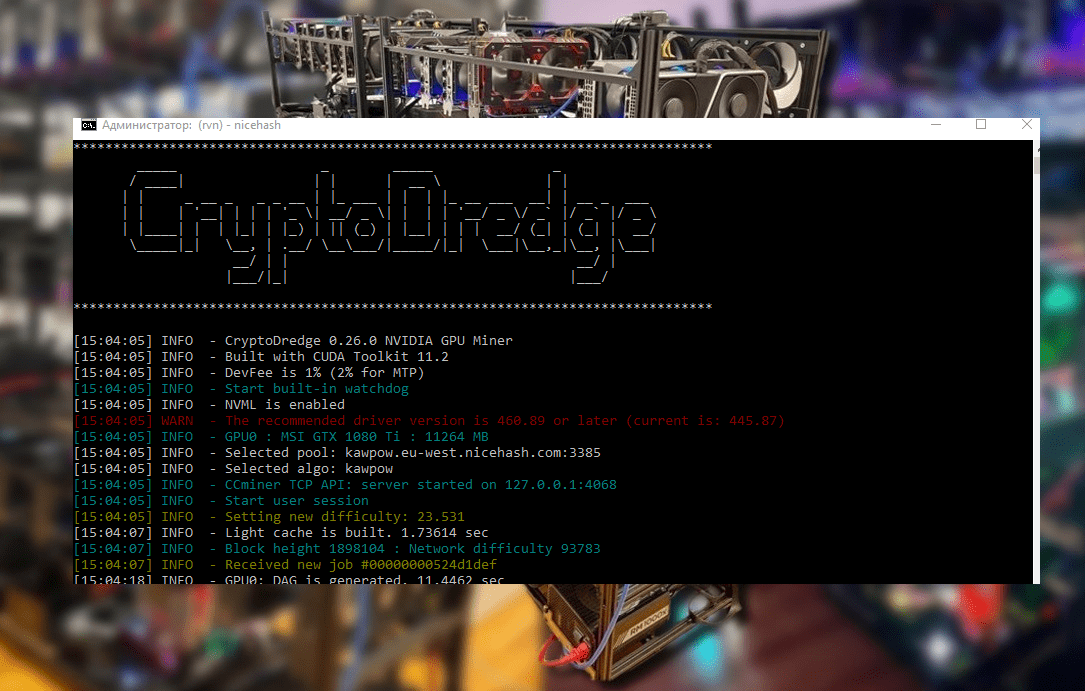
CryptoDredge -a kawpow -o stratum+tcp://rvn.2miners.com:6060 -u YOUR_WALLET_ADDRESS -p xtitle You don’t need to write anything pause – it’s from the NiceHash “label.” The main thing is to replace it YOUR_WALLET_ADDRESS with your real address. MiningSoft’s guides offer a nearly identical example for NiceHash (except the servers and port are different). The gist is: -a specify the algorithm (for example, kawpow for RVN), -o the pool string, -u the wallet (or +WorkName, if needed), -p and the password (usually x).
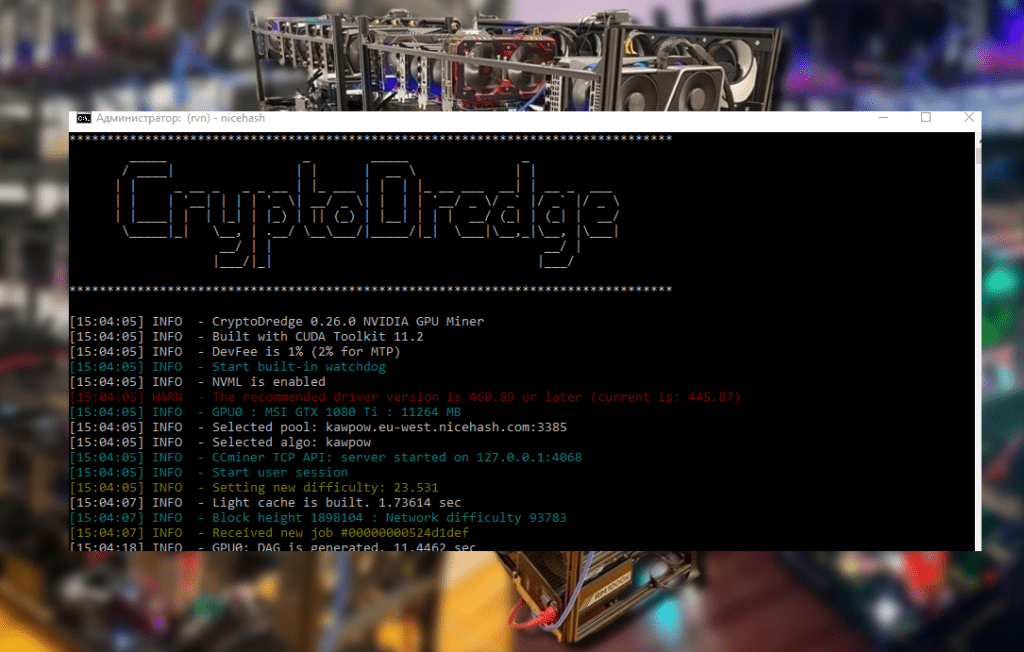
Don’t be afraid to experiment: for example, version 0.27.0 introduced the new Ethash algorithm, meaning you can mine ETC and other ETH-like coins. FiroPoW has also been added, so Firocoin is also within reach. And an option --worker will allow each device to have its own name on the pool. After setting it up, save .bat and simply double-click – the console will show the current GPU load.
Supported algorithms
- argon2d-dyn
- argon2d-nim
- argon2d4096
- chukwa2
- chukwa
- cnconceal
- cngpu
- cnhaven
- cnheavy
- cnturtle
- cnupx2
- ethash
- firopow
- kawpow
💡 Useful tips and tricks
CryptoDredge, as Crazy-Mining points out, isn’t a virus —it’s just a powerful miner. If your antivirus is complaining, add the program to the exceptions list. Incidentally, the developers recommend keeping the Watchdog option enabled (so that the miner restarts itself if problems occur), but if you’re using your own script, you can add --no-watchdog.
Don’t forget about the developer’s fee—it’s simply listed in the official instructions. As Crazy-Mining puts it, “the fee is only 1% (2% for MTP).” This means you’ll only give the rig a tiny percentage when mining—which is cheap, considering the optimization benefits. Furthermore, as Cool-mining also recommends, CryptoDredge focuses on stabilizing power consumption, so heating and power consumption will be more even, rather than fluctuating.
Finally, if something goes wrong (for example, the CUDA driver won’t start), try updating your NVIDIA drivers and C++ Runtime. Also, an option has been added for the Argon2d (NIM) algorithm --hashratein case of “invalid pow” errors.
📌 Conclusion
So, now you’re armed with knowledge: CryptoDredge 0.27.0 is a serious mining tool for Windows. It hides in the console, but it maximizes your graphics card performance without charging much. You can download it from the official website, unpack it, and .bat start mining: just make sure to specify the correct parameters -a. -oKeep -uin mind NVIDIA’s requirements and keep in mind that they charge a small commission. And if your antivirus software starts complaining, simply allow CryptoDredge in the exceptions.
Overall, I hope this guide has helped you look at mining from a different perspective: explosive crypto energy from a GPU can be achieved without much hassle. Good luck with your mining, and remember – a good miner always stays up-to-date with updates (keep an eye on sites like Crazy-Mining, Crypto Mining Blog, and Cool-Mining, where news about versions and settings is frequently posted).
References:
Read more:
 PhoenixMiner 5.1c: Download fastest Ethash miner with Low DevFee (Win/Linux)
  PhoenixMiner v5.0e: Download Ethereum (Ethash) GPU miner for Windows & Linux.
  AwesomeMiner (Crack): Download CPU/GPU/ASIC/FPGA Miner for Windows/Linux
  CryptoDredge v0.26.0: Download cryptocurrency mining software for Nvidia
  SRBPolaris V3.5: Download BIOS Editor for AMD RX4XX, RX5XX
  Download TT-Miner v3.2.0 (Nvidia GPU miner)