Learn how to set up remote farm monitoring, which services can help you control rigs online, how to ensure security, and what professional miners and enthusiasts should definitely keep in mind. This article covers the capabilities of Hive OS, Awesome Miner, Minerstat, and Braiins Manager, as well as tips for setting up remote access and security.
If you’ve ever tried managing a mining rig while sitting at your dacha with a cup of coffee, you know the mixture of anxiety and freedom. Hashrates, GPU temperatures, and power consumption graphs flicker on your phone screen. Everything seems to be going well, but somewhere deep down there’s a small worm of doubt: what if one rig overheats and you find out too late?
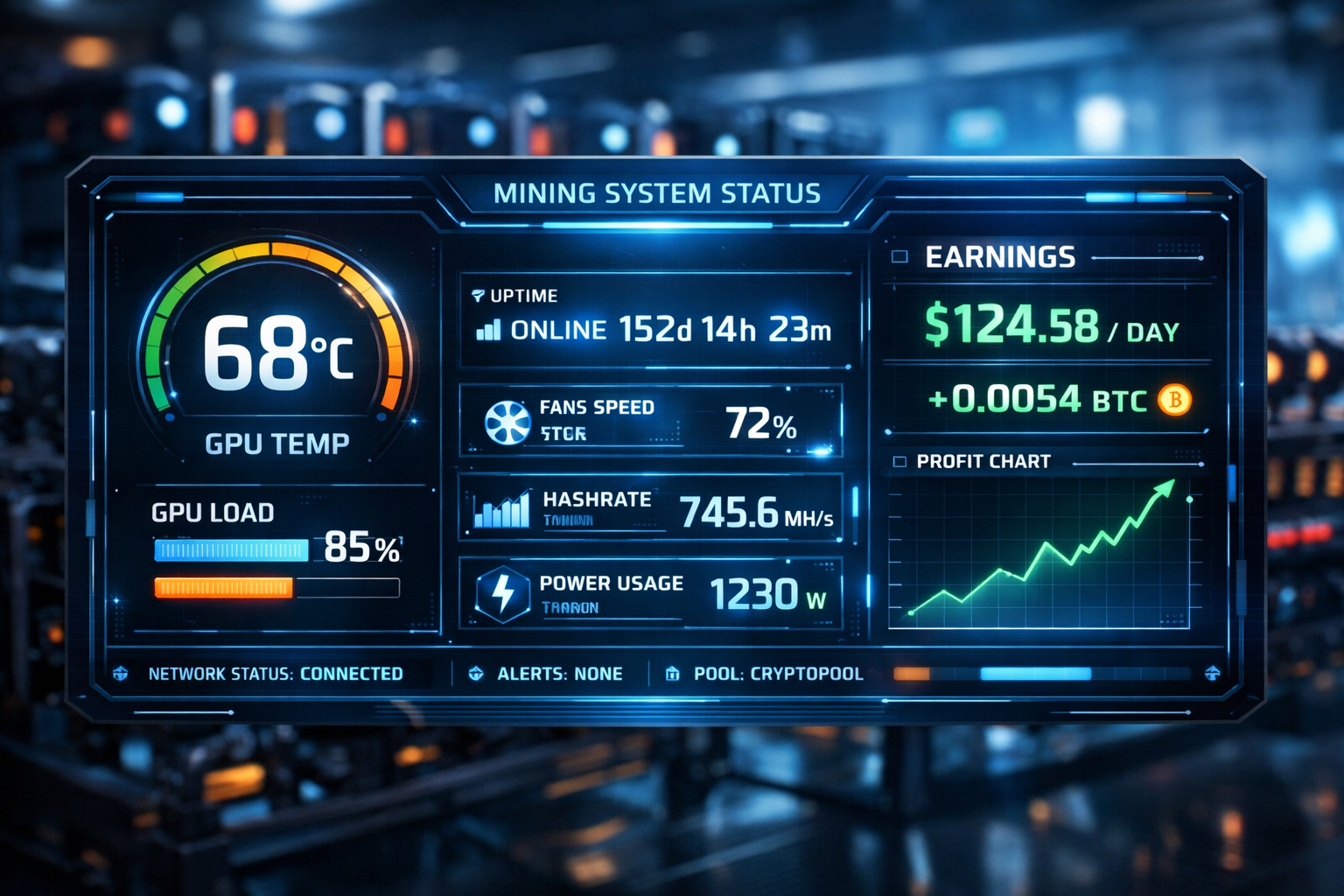
Today, remote monitoring and management of mining equipment turns this fear into a pleasant assurance. Specialized platforms allow you to control hundreds of ASIC miners or GPU farms from anywhere in the world. Let’s explore how this works, what capabilities modern tools offer, and why a VPN and good habits are essential for security.
Why remote monitoring has become mandatory
Mining is no longer a solitary hobby. Large data centers operate thousands of rigs and hundreds of megawatts of power, and home mining farms have long since expanded beyond a single computer. The idea of a farmer traveling to a warehouse to reboot a rig seems absurd. New-generation platforms (Hive OS, Awesome Miner, Minerstat, Braiins Manager, and others) allow you to configure mining farms, monitor hashrate, temperature, and power consumption, reboot equipment, and receive notifications.
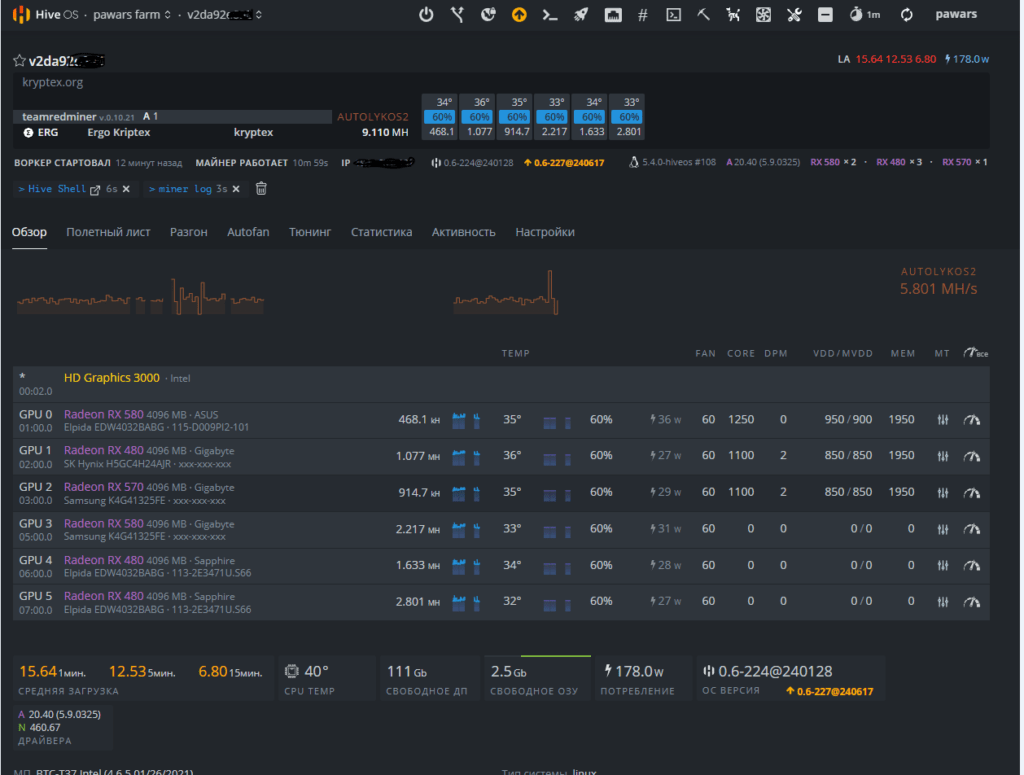
Hive OS describes itself as “a universal platform that allows you to configure, mine, and monitor processes more efficiently… everything you need to keep your mining rig running at peak efficiency .” From a single web dashboard, you can monitor hashrate, device status, GPU errors, and power consumption, as well as remotely reboot cards or perform mass software updates.
This isn’t just convenient for professionals. Enthusiasts managing a couple of rigs get the same tools: they can switch mining to other coins, adjust overclocking, and monitor hashrate declines. Platforms with mobile apps allow you to respond to problems even from the subway, and notifications on Telegram or Discord will quickly alert you to overheating or power outages.
What modern platforms can do
The variety of solutions can sometimes be intimidating for beginners. Below are brief descriptions of the key features of popular systems.
Hive OS – everything at your fingertips
Hive OS is one of the most well-known platforms for GPU and ASIC mining. Its main advantage is its centralized dashboard with the ability to:
- Set up and add a rig to the panel with one click (in a minute, your host will be detected automatically).
- Monitor hashrate, statuses, and power consumption, manage flight sheets (pool + wallet + coin), apply overclocking profiles for each video card, and switch coins and pools without physical access.
- Remotely reboot cards and perform mass updates or miner replacements; configure Telegram/Discord notifications for overheating, driver failure, or hashrate drops.
- Delegate tasks and distribute rights among team members, which is important for large farms.
The community advises taking security precautions. In a forum discussion, users recommend setting up a custom VPN for permanent SSH access, as the standard Hive Shell has a time limit and creates a reverse tunnel through a third-party server. On a local network, you can log in directly via SSH, but be sure to change default passwords and use keys.
Awesome Miner – Scalability and Automation
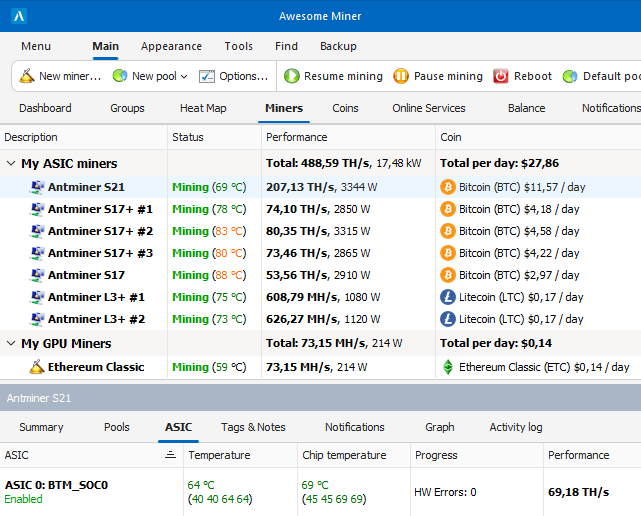
Awesome Miner is designed for large mining farms. It can manage up to 200,000 ASIC miners and 25,000 GPUs/CPUs , making it ideal for data centers. The platform supports profit switching: the software module automatically switches miners to the most profitable coins based on the current exchange rate and energy costs. Features include:
- Remote Antminer firmware update, frequency adjustment, reboot, and pool change.
- Flexible automation: triggers (temperature increase, speed drop, connection loss) and actions (reboot, pool switching, notification) are defined through a rules system. Over 30 conditions and 40 actions allow you to create rapid response scenarios.
- Web interface and cloud services. The interface is accessible from any device, and the cloud version offers notifications via Telegram and remote control from anywhere.
Minerstat – simplicity and flexibility
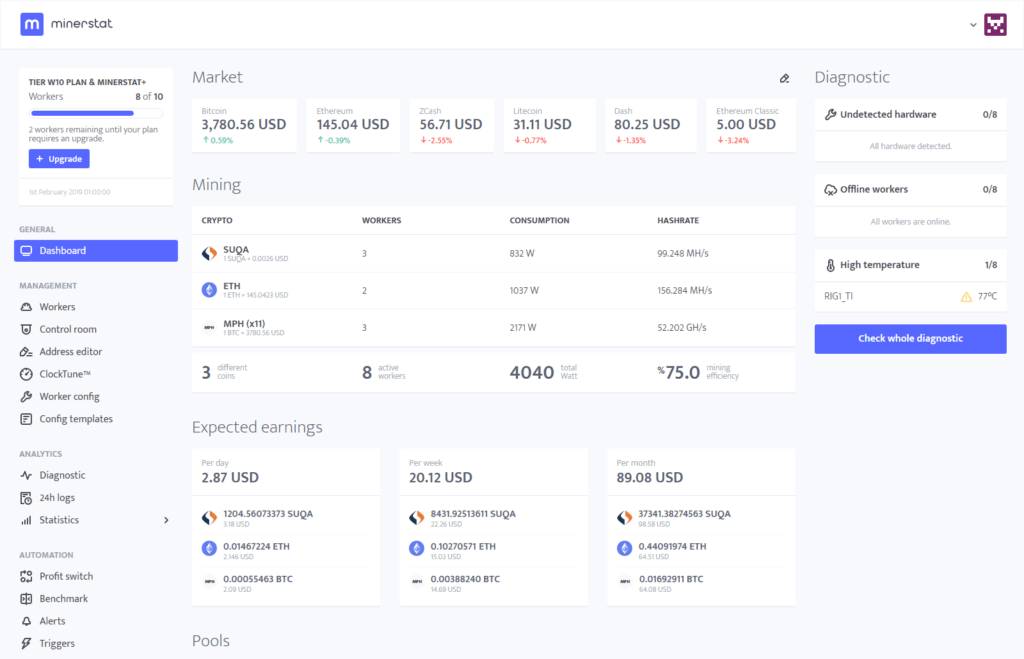
Minerstat is positioned as a tool for ASICs and GPUs. Its msOS client is installed on a flash drive and managed via a browser. In the ASIC Hub section, the developers emphasize the ease of setup: simply download the app, enter access keys, and add rigs for monitoring. Features include:
- Full remote control: configure mining, overclocking, profit switching, and alerts directly from your web dashboard; no physical presence required.
- Choose from hundreds of supported ASICs and connect up to a thousand devices, even on Raspberry Pi.
- Various access methods: when the rig is on the same network, you can open the local GUI via [ ]
http://LOCAL_IPand immediately see the console. For remote access, click the IP in the panel, which opens the console; SSH is also supported using a login and passwordminerstat/msos.
Braiins Manager – Advanced Features for Pros
The Braiins project (creators of the popular Braiins OS firmware) is developing its own manager for large data centers. Interesting features:
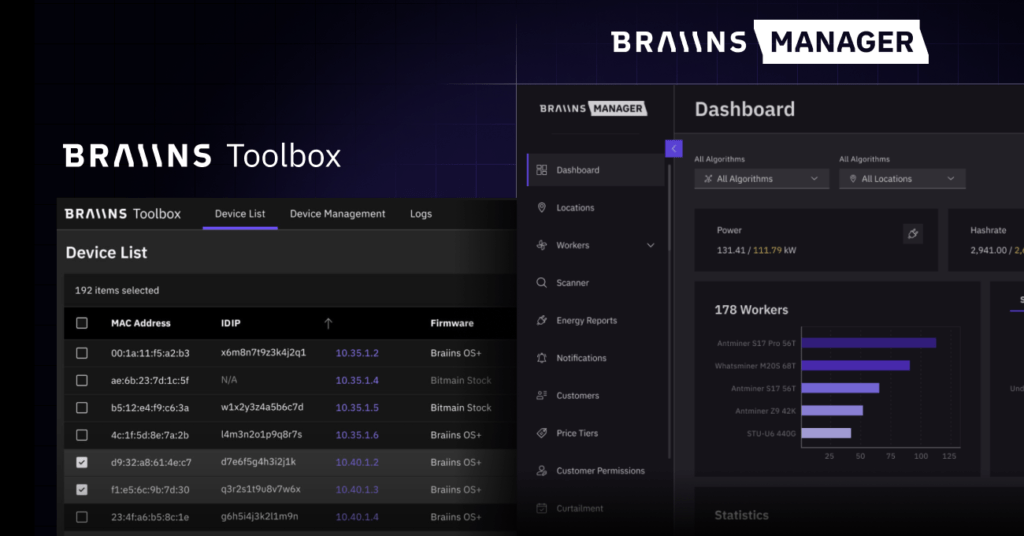
- A single dashboard for multi-location mining rigs: View hashrate, miner status, and power consumption in real time, helping you quickly identify problems and minimize downtime.
- An interactive farm map with visual locations of ASIC devices. This allows you to instantly identify hot spots and problematic machines.
- Data center-level automation: scheduled shutdowns when electricity prices rise, automatic restarts when prices drop; user-defined triggers based on temperature, power, and hashrate to prevent outages.
- Ticketing and team management: assign roles and access rights, track tasks, and integrate via API to build your own solutions.
This platform is primarily aimed at large operators, but enthusiasts can use the free version for dozens of miners.
Hardware and software tools for remote access
In addition to specialized operating systems, miners often use standard remote access tools:
- SSH and terminal clients. Linux-based systems (Hive OS, msOS, Braiins OS) support SSH connections. As Hive OS users note, Hive Shell is convenient for temporary access, but for permanent connections, it’s better to set up your own OpenVPN and use a direct SSH connection, as the Hive Shell session is limited and less secure.
- Virtual private networks (VPNs). Setting up a VPN provides encryption and a persistent tunnel. This is especially important if you’re managing your farm from shared Wi-Fi or over a mobile data connection.
- Remote desktop programs. TeamViewer, AnyDesk, or Chrome Remote Desktop allow you to view the Windows or Linux interface and control GPU/CPU rigs. They’re convenient for one-time miner setup or driver installation, but less efficient than dedicated panels.
- Smart sockets and relays. For home mining, it’s useful to install Wi-Fi-controlled sockets. Combined with temperature sensors, they help remotely shut off the power in case of overheating or short circuits. Don’t forget to check if your equipment supports Wake on LAN for remote power-up.
Security: Strong passwords, updates, and cold wallets
Remote access brings convenience, but also increases risks. A few simple rules will help protect your farm:
- Change default passwords and create unique accounts. The Minerstat manual suggests using the login
minerstat/msosfor local login. Be sure to change this information after the initial setup and create SSH keys. - Set up a VPN and firewall. Open ports make life easier for hackers. A reliable VPN with two-factor authentication minimizes the threat.
- Keep up with updates. Firmware updates (Antminer, Braiins OS, Hive OS) often patch vulnerabilities and add security features.
- Separate mining and storing coins. Never store significant amounts on exchanges or online wallets. Use hardware wallets. A review on Crypto-Wallets.org notes that physical devices provide a high level of security due to private key isolation and offline mode support. Hardware wallets are easy to connect to a computer and use with different coins, but you should protect the device from loss and create backups for recovery.
Practical tips for professionals and enthusiasts
For professional miners:
- Separate power supplies. Ideally, connect each rig to a separate power circuit breaker. This will allow you to remotely turn off/on a specific unit without affecting the entire farm.
- Use energy monitoring systems: they will help optimize power usage and promptly respond to surges. Braiins Manager, for example, tracks the power consumption of each ASIC and can automatically shut down part of the farm when power becomes too high.
- Document your infrastructure. An interactive map with rack numbers and IP addresses will speed up troubleshooting.
- Set up team roles: delegate management to technical specialists, and give the finance team access only to reports.
For enthusiasts and home miners:
- Start with Hive OS or Minerstat: they are free for small farms and have user-friendly web interfaces.
- Create a Telegram bot or subscribe to email notifications. A simple overheating alert can save your graphics card from failure.
- Don’t forget about physical security: install a smoke detector and a fire extinguisher in the room with the farm.
What else might you miss?
Many beginners focus on setting up their miners and forget about the room temperature. In summer, it’s easy for the hangar temperature to rise by several dozen degrees, leading to throttling and overheating. Use an exhaust fan, air conditioners, or move the equipment to a cooler room. Control humidity: excessive humidity accelerates corrosion, while dry air increases the risk of static discharge.
Another blind spot is electrical wiring. Make sure the wiring and circuit breakers are rated for the total power of the farm. Use a UPS to protect against power surges.
Conclusion
Remote monitoring and management of a mining farm has long since ceased to be a luxury, but rather a necessary element of infrastructure. Modern platforms allow you to monitor temperature, hashrate, and power consumption in real time, automatically respond to performance drops, switch pools and coins, delegate tasks among team members, and do all of this from anywhere in the world. However, with this convenience comes responsibility: setting up a VPN, changing default passwords, monitoring updates, and storing mined cryptocurrency on hardware wallets.
Take advantage of the wealth of resources available on specialized resources: , , Cool-Mining.org , and . These sites publish miner reviews, setup instructions for Hive OS and other systems, and guides on choosing hardware and wallets. And don’t forget that every farm is unique: experiment, customize, and listen to the community’s experience—and your remote control will be as reliable as being physically present.
Read more:
 AwesomeMiner (Crack): Download CPU/GPU/ASIC/FPGA Miner for Windows/Linux
  How to reduce mining rig energy consumption, increase ROI and efficiency
  Mining Laws and Regulations in 2025: Russia, EU, and the US
  PhoenixMiner 5.1c: Download fastest Ethash miner with Low DevFee (Win/Linux)
  PhoenixMiner v5.0e: Download Ethereum (Ethash) GPU miner for Windows & Linux.
  Undervolting GPUs: Reducing Power Consumption During Mining 🚀
  ASIC Mining in 2026: What’s More Profitable to Mine and How to Increase Profits
  ASIC Miner Maintenance and Repair: A Beginner’s Guide