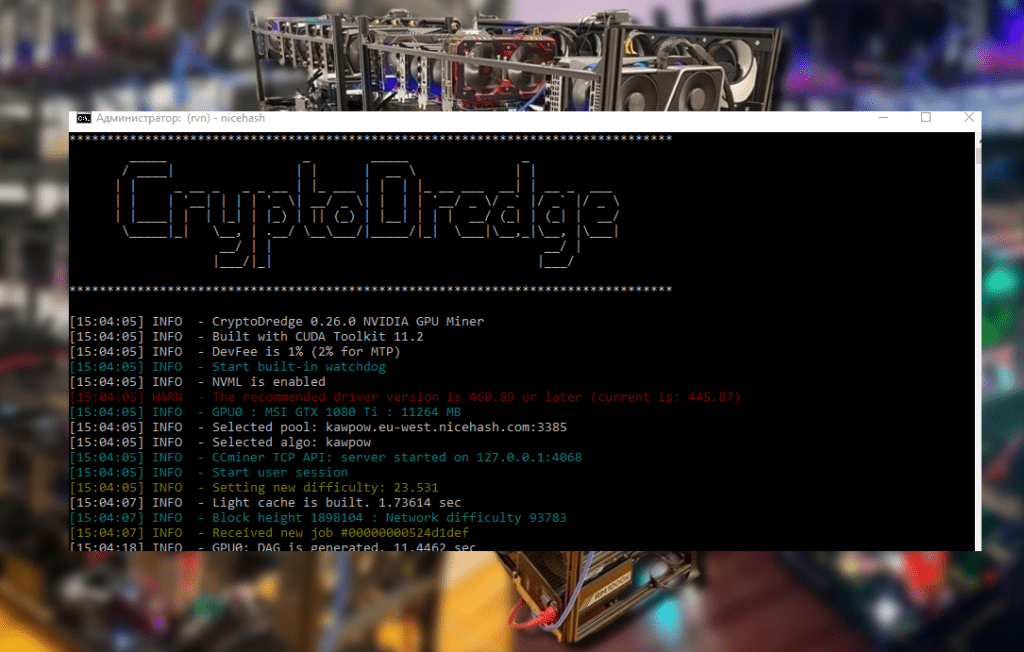
A practical guide to using MSI Afterburner for mining. Overclocking NVIDIA and AMD cards for Ethereum Classic, Ravencoin, Kaspa, and other coins, adjusting fan curves, safe overclocking, and energy efficiency. Tips on cooling and protecting against counterfeit software.
🔧 Why miners choose MSI Afterburner
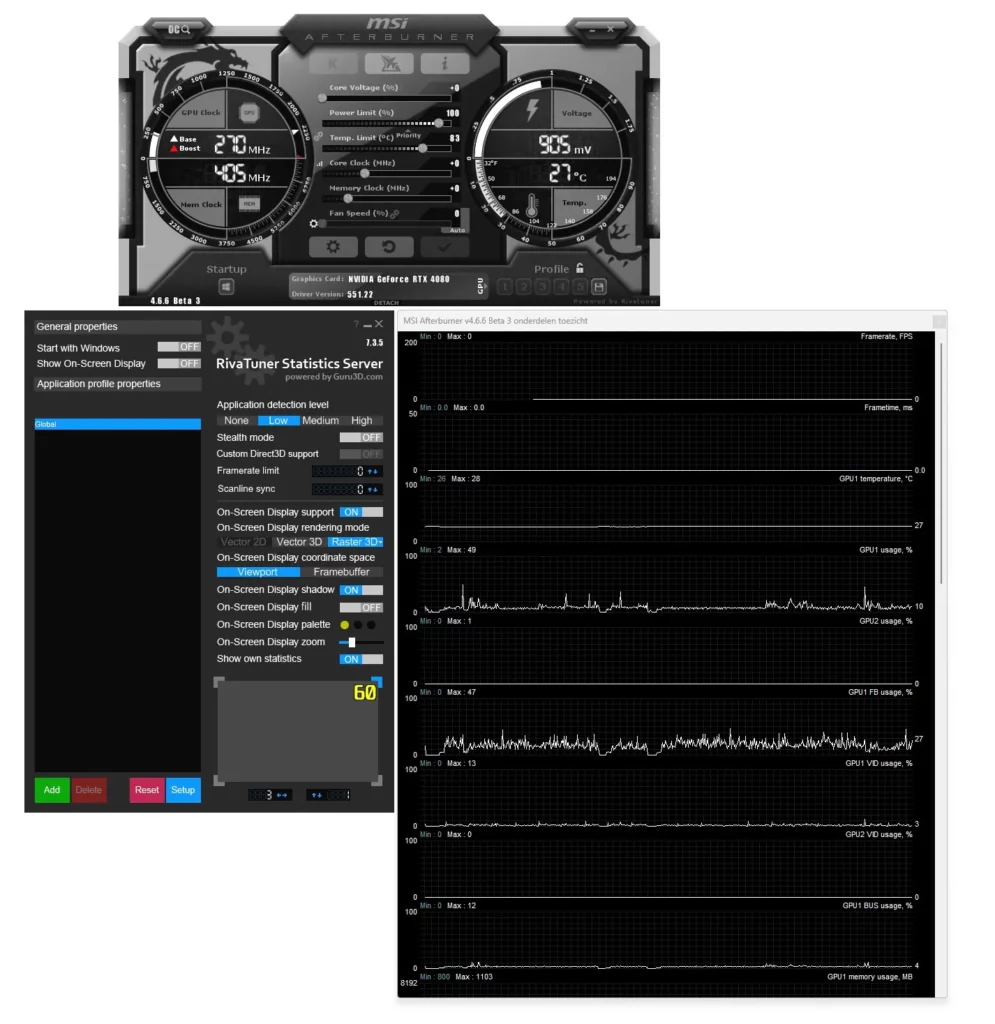
When you first launch this legendary utility, it’s easy to believe it’s simple: sliders, buttons, and a beautiful interface. However, under the hood, there’s power. MSI Afterburner lets you manage core and memory frequencies, set the Power Limit and temperature, and, once unlocked, adjust core voltage. This applies to both NVIDIA and AMD cards : the utility is universal.
An important feature is the ability to save profiles and launch them at system startup, which is convenient for mining: just set it up and forget it. Finally, the utility is free to download from the official MSI or Guru3D websites.
⚙️ Overclocking: Balancing Hashrate and Power Consumption
Before cranking the sliders to the max, it’s worth understanding the principle. Overclocking increases the core and memory frequencies, which boosts hashrate, but also increases power consumption. Undervolting and lowering the power limit, on the other hand, reduce power consumption while maintaining some performance. NiceHash recommends finding the sweet spot between hashrate and power consumption: a lower power limit and moderate overclocking of memory and cores can yield the same profitability at a lower cost. This is especially important for Ethereum Classic, Ravencoin, and Kaspa, as every penny goes to the counter.
The traditional methodology for NVIDIA is as follows:
- Disable the link between Power Limit and Temperature Limit to control power separately
- reduce Power Limit to 60–75%, which reduces consumption and temperature;
- increase Core Clock by ~ +100 MHz and Memory Clock by +900 MHz, testing stability after each step;
- test stability with a benchmark (FurMark, Unigine) or the coin itself.
The NiceHash utility describes this process step by step: launch MSI Afterburner, unlink the power/temperature parameters, increase the Power Limit, Core Clock, and Memory Clock one by one, test stability, then apply the settings and save the profile. For beginners, the blog recommends starting with the basic profile for GeForce : Power Limit = 75%, Core Clock = +100 MHz, Memory Clock = +200 MHz.
For AMD cards (RX 5000/6000 series, Vega, Navi), many features are similar, but OverdriveNTool and MorePowerTool are also used . However, MSI Afterburner is also suitable: it allows you to adjust frequencies and the Power Limit, as well as create custom profiles. Experience with miners shows that when mining Ethereum on an RX 580, it’s worth raising the memory by +1000 MHz and the core only slightly, while simultaneously lowering the Power Limit. The key is to proceed gradually and test after each step; if artifacts or errors appear in the miner logs, roll back to the previous settings.
🌡️ Cooling and Fan Curves: How to Avoid Burning Down Your Farm
Overclocking increases heat output, so proper fan settings are vital. In MSI Afterburner, you can enable custom fan speed mode in the Custom Fan Speed section: click the gear icon, open the Fan tab , enable “Enable user-defined software automatic fan control,” and then drag the fan nodes to create a temperature and speed curve. This option is not available for laptops.
The Crypto-Mining Blog recommends clicking the “Auto” icon for automatic adjustment or the gear next to the “Fan Speed” slider to manually set the fan speed. In the “Cooler settings” section, you can change the speed update period and minimize noise by specifying the polling rate. The blog also reminds that some cards require enabling “Enable software user mode” and manually editing the graph by dragging the dots—but this shouldn’t be done excessively.
Question: What fan range should I choose? Experienced miners on Crazy-Mining recommend keeping the GPU temperature below 70–75°C and the video memory below 80–85°C; at these temperatures, the fans should run at 60–80% capacity. Insufficient ventilation leads to throttling, reboots, and, in the worst case, failure of the card. For Ethereum Classic or Ravencoin rigs , where memory load is high, it makes sense to increase the RPM, especially in hot weather. Some miners additionally install external “industrial” fans on their rigs or install exhaust hoods. Don’t forget to clean the heatsinks of dust; air and RPMs, as it turns out, are cheaper than a new video card.
🧊 Examples of real cooling profiles
- NVIDIA RTX 3070 (Ethash): Power Limit = 60%, Core Clock = +100 MHz, Memory Clock = +950 MHz, fan curve is set as follows: up to 50°C the fan is at 40%, from 50°C to 60°C – at 60%, above 65°C – at 80%. This profile provides approximately 30 MH/s with a stable temperature and acceptable noise.
- AMD RX 6800 XT (Kaspa): Power Limit is reduced to 65%, memory is increased by +1000 MHz, and the core is increased by around +50 MHz. Fans are set to automatic mode, but the minimum percentage is limited to 50%. Monitoring memory (VRAM) temperature is important for the RX series, so if possible, place additional fans on the rear of the card.
- Mixed rig (4× RTX 3060 + 2× RX 580) for Ravencoin: they use a shared high-pressure exhaust fan, and in MSI Afterburner, fan synchronization is enabled for identical GPUs. NVIDIA cards have a Power Limit of 65%, AMD cards have a Power Limit of 70%. Fan speeds at 70% keep the chips around 60°C. This solution is simpler than individual profiles and is suitable for those who don’t want to edit configuration files.
⚠️ Safety and common mistakes
- Download only from the official website. Security researchers have discovered over fifty fake websites masquerading as MSI Afterburner; they install Monero miners and password-stealing RedLine Trojans. Therefore, download the program only from msi.com or .
- Gradual increase. NiceHash emphasizes: increase Power Limit, Core Clock, and Memory Clock gradually, test stability, and only then increase further. If the system freezes, reboots, or artifacts appear, roll back.
- Be careful with voltage. In MSI Afterburner, the voltage slider is locked by default because uncontrolled voltage increases can damage the card. If you need undervolting, unlock the feature in the settings (Settings > Basic > Unlock Voltage Control), then set it in the configuration file
UnlockVoltageControl=1, but remember to exercise caution. - Laptops and cheap graphics cards. The Crypto-Mining blog warns: laptops usually lack fan control, and their thin casings aren’t designed for long-term overclocking. The same goes for cheap graphics cards: they lack powerful power phases and quickly fail under aggressive overclocking.
- Warranty and risk. Crazy-Mining reminds us that manufacturers consider overclocking a modification: it may affect the warranty, and excessive heat shortens the lifespan. Remember: in most cases, a serious breakdown will cost more than the gain of a few extra megahashes.
💡 Practical tips for coins
Ethereum Classic (ETC)
This coin uses the Etchash algorithm , which requires fast video memory. For NVIDIA cards, it’s a good idea to raise the Memory Clock to +900 MHz and reduce the Power Limit to 60–70%; this prevents the card from overheating and keeps the hashrate high. For AMD RX 5000/6000 series cards, set the memory to maximum (often +1000–1200 MHz) and slightly increase the core clock. Keep an eye on your memory: temperatures above 90°C are a good time to increase the fan speed.
Ravencoin (KawPow)
The KawPow algorithm stresses both the core and memory, so the profile is different. For the RTX 3060/3070, the Core Clock is increased by +100 MHz, the Memory Clock by +500 MHz, and the Power Limit is kept at 70–75%. Performance increases, but so does power consumption; undervolting provides a slight benefit here. For the RX 5700/RX 6800, it’s best to leave the Core Clock almost unchanged, focusing on memory and Power Limit. Be sure to benchmark, as KawPow is sensitive to instability.
Kaspa (KHeavyHash)
Kaspa became popular due to its simplicity and support for older cards. The KHeavyHash algorithm is more demanding on the core than on memory, so for NVIDIA cards, it’s best to try slight increases in the Core Clock (up to +150 MHz) and leave the Memory Clock mostly unchanged. It’s best to lower the Power Limit to 65%. For AMD Navi and Vega series cards, it’s important to monitor temperatures and adjust fan speeds; the downside is higher power consumption, so save where you can.
Other promising coins
By early 2026, Alephium and Nexa were also popular . Both algorithms (Blake3 and the KawPow variant) require combined core and memory overclocking. For Alephium, the following profile works well: Power Limit = 70%, Core Clock = +150 MHz, Memory Clock = +500 MHz. For Nexa, the Core Clock can be left slightly above stock, and the memory clock can be set to +800 MHz. In both cases, adjust ventilation, avoid overheating, and remember: actual profitability also depends on the coin price.
🧭 Inspiration and unexpected angles
Overclocking graphics cards is like cooking: one chef adds salt liberally, another follows the recipe strictly. Some experiment endlessly, adjusting RPMs like spices, and end up with a hot soup coming out of the fans. So why not take a break? When the rig hums quietly and the hashrate is stable, it’s not always worth chasing the maximum. Sometimes it’s better to reduce power consumption, letting the heat out of the room.
Surprisingly, mining has entered pop culture: memes about “cardboard farms” and warped fans are circulating on social media. Yet just a few years ago, few people thought video cards would generate cryptocurrency. Overclocking isn’t just about numbers and buttons; it’s about creativity, a bit of risk, and a little engineering flair.
✅ Conclusion: How to achieve your goals
MSI Afterburner is a powerful tool for miners. It allows you to overclock and undervolt graphics cards, control fan curves, save profiles, and launch them automatically. The key is to approach it wisely: gradually increase parameters, test stability, and monitor temperatures and noise.
In this article, we’ve reviewed sample settings for NVIDIA and AMD on popular algorithms (Ethereum Classic, Ravencoin, Kaspa), explored effective cooling methods, and outlined the risks. Remember to be safe: download the utility only from official sources and don’t let scammers infect your system.
Ultimately, the question of “maximum hashrate or energy efficiency?” is yours to decide. For some, every drop of power is crucial, while others prefer silence and energy savings. Overclocking is the art of finding a balance where everyone can find their own fan noise and their ideal megahash. Good luck on your crypto journey!
Read more:
 PhoenixMiner 5.1c: Download fastest Ethash miner with Low DevFee (Win/Linux)
  PhoenixMiner v5.0e: Download Ethereum (Ethash) GPU miner for Windows & Linux.
  How to reduce mining rig energy consumption, increase ROI and efficiency
  Home oil mining farm for heating premises
  Undervolting GPUs: Reducing Power Consumption During Mining 🚀
  How to set up GMiner for Kaspa mining using the kHeavyHash algorithm
  How to speed up the process of mining cryptocurrencies