A detailed review of the best mining software for Windows in 2026: NiceHash, PhoenixMiner, T-Rex, XMRig, and other effective miners for GPU, ASIC, and CPU. Tips on choosing software and algorithms for Bitcoin, Litecoin, Kaspa, Ravencoin, Monero, and other promising coins.
The best cryptocurrency mining software 🎯💻
Cryptocurrency mining is still relevant in 2026, despite growing network complexity and intense competition. Successful mining depends 70-80% on the right software and hardware. Today, GPUs, ASIC rigs, and even CPUs are used for effective mining, but each category requires its own software. In this article, we’ll look at proven miners for Windows that support popular algorithms: SHA-256 (Bitcoin), Scrypt (Litecoin, Dogecoin), Ethash (Ethereum Classic), kHeavyHash (Kaspa), KawPow (Ravencoin), RandomX (Monero), and others.
We recommend starting with simple solutions like NiceHash or Kryptex – they will automatically select the most profitable coin and pay you in BTC. Once you gain experience, you can move on to more specialized programs for your hardware. Analysts note that T-Rex Miner and NBMiner are suitable for NVIDIA users, lolMiner is suitable for AMD users, and ASIC miners should consider alternative operating systems and firmware like Braiins OS+ for increased efficiency.
🎮 GPU mining software
Promising altcoins like Ethereum Classic, Kaspa, Ravencoin, Ergo, Flux, and others are mined on GPUs (NVIDIA and AMD graphics cards). Several powerful miners are available for Windows:
- NiceHash Miner is a versatile application with a graphical interface. It automatically detects the most profitable algorithm and mines the most profitable cryptocurrency, paying out rewards in BTC. It supports simultaneous CPU and GPU mining. It’s ideal for beginners as it doesn’t require complex settings.
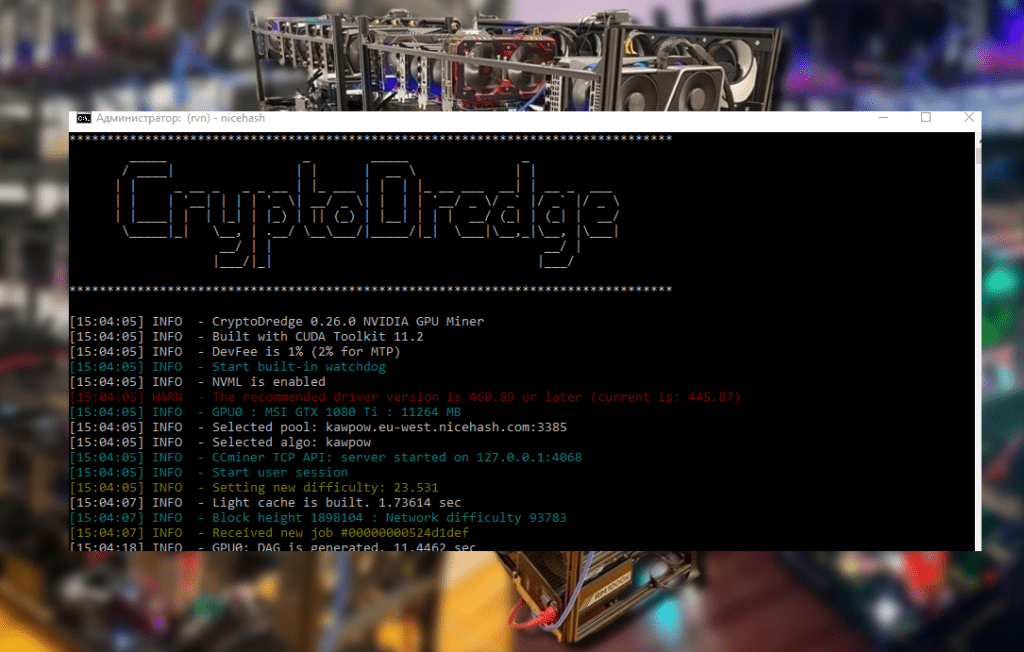
- T-Rex Miner is a popular Nvidia miner that supports multiple algorithms (KawPow, Octopus, Ethash, and others). It has a Russian-speaking community and receives quick updates. It runs on Windows and can bypass LHR restrictions (RTX 3000 models with limited hashrate) ).
- NBMiner is a cross-platform miner for Windows and Linux. It works with both NVIDIA and AMD hardware. It supports Ethash, KawPow, KHeavyHash (Kaspa), and other algorithms. It is known for its stability and timely updates.
- lolMiner is an optimized miner for AMD and NVIDIA (but is especially effective on AMD). It has built-in support for the Autolykos (Ergo) and kHeavyHash (Kaspa) algorithms. It supports Windows and provides high performance for long-term mining.
- PhoenixMiner / Claymore are specialized ETH miners (also available on Windows) that, following Ethereum’s transition to PoS, are now used for similar coins using the Ethash algorithm (such as Ethereum Classic). They are highly optimized for Ethash and support dual mining (two algorithms simultaneously).
GPU miners typically feature detailed overclocking settings (powerlimit, overclocking) and the ability to switch between algorithms. The choice of program depends on your graphics cards: T-Rex, NBMiner, and NiceHash are suitable for NVIDIA rigs, while TeamRedMiner and lolMiner are suitable for AMD rigs. All of these miners run on Windows and are compatible with popular mining pools (e.g., 2Miners, Flypool, Nanopool, etc.).
ASIC mining software
For ASIC mining rigs (specialized devices for SHA-256 and Scrypt), the key coins remain Bitcoin (BTC) , Litecoin (LTC) (merge-mining with Dogecoin), and Bitcoin Cash (BCH) . In 2026, ASIC mining efficiency depends on the quality of the firmware and mining pool, rather than on standard applications. However, there are programs for managing and monitoring rigs:
- CGMiner is a classic cross-platform CLI miner for Windows and Linux, historically the best for BTC (SHA-256) and supporting Scrypt (LTC). It features an open console, scaling, pool switching, and fine-tuning options. Suitable for advanced users.
- BFGMiner is another powerful C-based miner, highly configurable for ASICs and FPGAs. It supports SHA-256 and Scrypt algorithms, can restart a mining stream during downtime, and monitors mining rigs. It has built-in getwork and stratum protocols for stable mining. It runs on Windows and Linux.
- MultiMiner is a desktop application with a graphical interface for Windows, Linux, and MacOS. It simplifies managing multiple ASICs and GPUs: it automatically detects hardware and offers switching between the most profitable coins. It’s perfect for those setting up a home mining rig for the first time.
- is a GUI interface for miners (CGMiner, CPUMiner, etc.) for Windows. It supports both general mining modes for all currencies and “Moneymaker” (automatic Litecoin mining in its pool). It’s useful for beginners, but lacks the flexibility of specialized CLI solutions.
- Braiins OS+ is an alternative operating system (firmware) for ASIC miners (Antminer, etc.), developed by the Slush Pool team. While not a traditional “software,” it allows for up to a 20% hashrate increase by optimizing chip operation. It installs on a USB drive and runs instead of the stock firmware.
Important: ASIC miners typically run on Linux, but they can also be controlled from Windows via a web interface or API. For merged LTC/Doge mining, simply launch CGMiner/BFGMiner and specify the appropriate pool.
🧠 CPU mining software
CPU mining is primarily suitable for Monero (XMR) and similar RandomX algorithms. Mining other coins on standard CPUs is inefficient, so the main options are:
- XMRig is an open-source miner for Windows/Linux/macOS for RandomX. It’s the gold standard for CPU mining. It supports most processors (Intel, AMD) and allows for customization of thread usage, power limits, and automatic pool switching. It’s used for mining Monero on home PCs.
- SRBMiner-MULTI is a multi-algorithm miner for Windows/Linux that supports RandomX and several other CPU-oriented algorithms. It allows you to mine multiple coins simultaneously (XMR and others), but is slower than XMRig in terms of Monero mining speed.
CPU mining can be tried on any computer, but the profitability is usually barely enough to cover electricity costs (around $1–2 per day on a powerful PC). If you have to choose, it’s better to focus on GPU/ASIC mining. However, some hobbyists run XMRig in the background, for example, at night, for minimal passive income.
🔍 Selecting and configuring miners
When choosing a program, consider the hardware type and the coin’s algorithm ). For ASICs (BTC, LTC), use CGMiner/BFGMiner with a powerful pool. For NVIDIA GPUs, use T-Rex or NBMiner; for AMD, use TeamRedMiner or lolMiner. Automatic services (NiceHash, Kryptex) select the coin for you but pay out in BTC with a commission.
Setup reminder:
- Install the latest drivers and programs for Windows 10/11.
- Use monitoring programs (HWMonitor, MSI Afterburner) to monitor GPU temperature.
- Connect to a reliable pool (2Miners, Flypool, Nanopool, F2Pool, etc.).
- Run the benchmark (if the program supports it) to select the optimal parameters.
- Check your profitability using calculators (WhatToMine, NiceHash Profitability) based on your tariffs.
If you’re just starting out, try cloud mining or NiceHash with a small stake to get a feel for the mechanics without purchasing any hardware. This will give you an idea of which coin and software is right for you before investing in a mining rig.
Finally, remember: Toncoin (TON) currently operates on Proof-of-Stake—classic mining on the TON network has been completed . Therefore, there is no mining software for Toncoin. Coins that support Proof-of-Work algorithms are currently available.
Bottom line: in 2026, mining requires technical literacy and patience. Properly chosen software is the key to efficiency. Start with simple tools (NiceHash, MultiMiner), then gradually explore tools like CGMiner, T-Rex, or XMRig. Closely monitor your power consumption and adjust your software based on the price and blockchain complexity. May your GPUs and ASIC rigs operate stably and your hashrate always be optimal!
Read more:
 AwesomeMiner (Crack): Download CPU/GPU/ASIC/FPGA Miner for Windows/Linux
  PhoenixMiner 5.1c: Download fastest Ethash miner with Low DevFee (Win/Linux)
  PhoenixMiner v5.0e: Download Ethereum (Ethash) GPU miner for Windows & Linux.
  Mining Laws and Regulations in 2025: Russia, EU, and the US
  NBMiner v33.4 (NVIDIA & AMD GPU Miner for ETH, RVN, GRIN, BEAM)
  Mining Ethereum in on GPU and ASIC