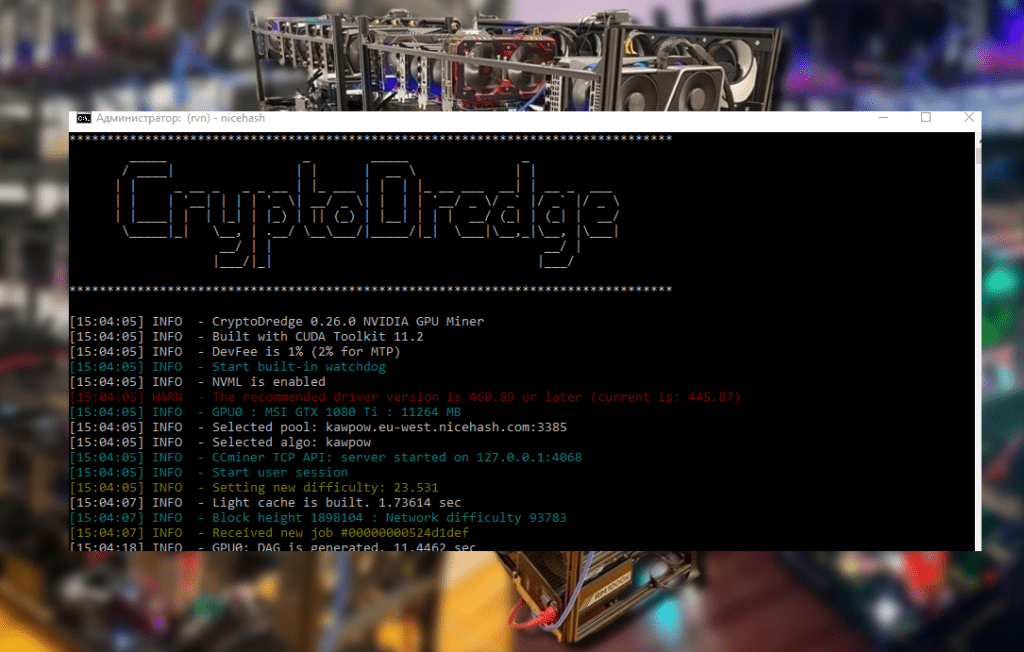
Learn how to extend the lifespan of your ASIC miners and avoid breakdowns. This ASIC maintenance and repair guide for beginners includes tips on regular cleaning, cooling, firmware updates, DIY repairs, and problem prevention.
Why do ASIC miners need maintenance?
ASIC miners are expensive, specialized cryptocurrency mining devices, so proper maintenance directly impacts their efficiency and lifespan. Without regular maintenance, the miner may overheat, become unstable, or even fail. Experience shows that overheating is the most common cause of ASIC failure . Constantly high temperatures accelerate the wear of chips and other components. Furthermore, dust accumulation, poor cooling, voltage surges, and other factors can lead to a decrease in hashrate and even a device shutdown.
Regular maintenance helps identify and resolve minor issues before they lead to major failures. For example, cleaning heatsinks from dust will prevent overheating, while updating firmware will fix bugs and improve stability. As a result, your miner will operate at peak performance for longer, saving you money on costly repairs. Below, we’ll cover key aspects of ASIC device maintenance and provide recommendations for repairing some issues yourself.
Regular ASIC Maintenance: Extending the Life of Your Device 🔧
Proper maintenance of ASIC miners involves several simple yet important procedures. Perform the following steps regularly to ensure trouble-free operation:
- Dust Cleaning: Clean your miner of dust at least once every 1-2 months. Unplug the device and carefully blow out the heatsinks, fans, and boards with compressed air. Dust is the main enemy of cooling; its accumulation leads to overheating. Pay special attention to the heatsinks on the hash boards and fans—clean heatsink fins and fan impellers ensure effective heat dissipation.
- Check and maintain fans: Make sure both (or all, if more) miner fans are working properly. A noisy fan or one that stops spinning should be replaced. Without adequate cooling, the ASIC will automatically reduce its hashrate or shut down to protect itself from overheating. Having spare fans on hand will allow you to quickly replace them if a fan malfunctions.
- Ensuring proper cooling: Maintain an optimal ambient temperature. Place the miners in a well-ventilated area. Ideally, the air temperature should be no higher than ~25°C , and hot exhaust air from the miner should not stagnate in the room. During hot weather, use additional cooling methods (industrial fans, exhaust fans, air conditioning). Ensure that the hash board temperature does not exceed a safe threshold (usually ~80°C for most models).
- Humidity control: High indoor humidity is harmful to electronic components. Moisture can cause contact corrosion and board failure. Maintain relative humidity below 50–60% . If your miners are located in a basement or damp area, consider using dehumidifiers. Also, avoid sudden temperature changes to prevent condensation.
- Power supply check: Periodically inspect the miner’s power supply unit (PSU). Make sure there are no bulging capacitors, a burning smell, or excessive heat. Clean the PSU of dust. A reliable power supply is essential for stable operation. We recommend using a high-quality surge protector or uninterruptible power supply (UPS) to smooth out voltage surges and protect the miner from power surges.
- Firmware Update: Keep an eye on new firmware releases from your ASIC manufacturer. Updating the firmware (carefully following the instructions) can improve miner performance, fix bugs, and even increase the hashrate. Some custom firmware can optimize power consumption or overclock chips, but install it at your own risk. Always download firmware only from official or trusted sources to avoid viruses.
- Status Monitoring: Regularly check the miner’s status via the web interface or software. Pay attention to the hashrate, temperature, fan speed, ASIC chip errors (the “X” or “-” symbols in the board status), and other indicators. A sharp drop in performance or the disappearance of one of the hash boards from the status bar is a signal for diagnostics.
By taking these preventative measures, you’ll significantly reduce the risk of unexpected failures. A well-maintained miner will operate more reliably and last longer, ensuring you get the most out of your hardware investment.
Useful utilities and software for monitoring and configuration 🖥️
Numerous software tools have been developed to assist miners, simplifying ASIC maintenance. It is recommended to master the following utilities and programs:
- Antminer Toolkit (APMinerTool): Bitmain’s proprietary suite of tools for managing Antminer rigs. It allows you to monitor miner status, configure static IP addresses, update firmware, and reboot devices remotely . APMinerTool scans your local network, automatically detecting ASICs, and allows you to apply settings in bulk. Version 1.0.11 also introduced antivirus scanning and miner overclocking. This utility significantly saves time when simultaneously maintaining multiple devices.
- ASIC WhatsminerTool: a similar tool for miners of the WhatsMiner series (manufactured by MicroBT). The program is similar in functionality to BTC Tools: it allows you to scan the network for WhatsMiner devices, monitor their operation, and change pool settings . If you have MicroBT ASICs, WhatsminerTool will be an indispensable tool for managing them.
- BTC Tools: a universal Windows program designed for mass management of various ASIC miners. BTC Tools searches for ASICs on the network, displays their status, allows you to change pool addresses, adjust overclocking, reboot devices, and even flash new firmware versions. Many popular models are supported (Antminer, Whatsminer, Innosilicon, etc.). This tool is often used by technicians at large farms to quickly maintain dozens or hundreds of miners simultaneously.
- Awesome Miner: powerful software for centralized monitoring and management of a mining rig, supporting both GPUs and ASICs. For ASICs, it allows you to monitor temperature and hashrate, configure overclocking/downvolting profiles, and receive error alerts. A free version with basic features and a paid version with advanced capabilities (such as remote firmware installation on ASICs) are available. Suitable for those with a diverse hardware fleet.
- Antivirus scripts and utilities: If you suspect your miner is infected with a virus (for example, part of the hashrate is being “diverted” to an unknown wallet), it’s worth using specialized scripts to clear the firmware. Some manufacturers produce utilities for resetting malicious settings. In the case of an Antminer, you can reflash the device with official firmware via an SD card or use the “Antivirus” feature in APMinerTool , which was introduced in recent versions. It’s also a good idea to change the miner’s default SSH/web access password to reduce the risk of reinfection.
Using monitoring and management software makes a miner’s life easier. You’ll receive timely notifications about overheating or failures, be able to remotely reboot a frozen device, and perform batch firmware updates. Mastering at least basic tools (for example, APMinerTool for Antminer) will save you both time and money on repairs.
Common ASIC malfunctions and how to fix them ⚠️
Even with proper maintenance, various problems with an ASIC miner can arise over time. It’s important for beginners to know the most common symptoms and causes of malfunctions to quickly navigate the situation:
- Overheating and throttling: If the hash board temperature exceeds the acceptable level (usually >80°C), the miner may automatically reduce the hash rate or shut down. In the web interface, you may see that the temperature readings are in the red zone. Cause: dust on the heatsinks, a failed fan, or excessively high ambient temperatures. Solution: immediately shut down the device, clean it of dust, and check the fan operation. After cleaning, ensure proper cooling by reducing the ambient temperature, increasing the cool air flow, or reducing the overclock. Do not turn on the miner until you are sure the cooling is correct, otherwise overheating may cause physical damage to the chips.
- Decreased hashrate: The miner is running, but the overall hashrate is below normal, and “X” or “-” symbols appear next to some chips in the ASIC chip status. Cause: Individual chips on the hash board are failing. One or more chips may fail due to overheating or a manufacturing defect, causing the board to operate at less than its full capacity. Solution: If the “X” is small and the overall performance has dropped only slightly, the miner may still function. However, multiple “X” symbols or an entire board with “-” symbols indicate a serious malfunction – such a hash board should be disconnected and sent for repair or replacement. Continuing to mine with a severely damaged board is not recommended, as this may lead to additional problems.
- The hash board is not detected: One of the boards has disappeared from the interface entirely – the miner shows, for example, 2/3 of the boards, or the firmware version status displays “XXXX” instead of the board number. Cause: Loss of communication with the hash board due to a faulty board or firmware glitch. A broken cable, a short circuit on the board, or a critical software failure are possible. Solution: First, try restarting the miner and resetting the settings to factory defaults – sometimes the board is “lost” due to a firmware glitch, and a reboot helps. If that doesn’t work, turn off the device and check the cable connections between the controller and the board. Try connecting the problematic board individually (with the others disconnected) to the controller to ensure it is detected. If the board doesn’t respond, there is most likely a hardware problem – the hash board needs to be repaired or replaced.
- The miner won’t turn on: When power is applied, the fans may briefly spin, but then nothing happens; the indicators don’t light. Cause: Power supply issues or a serious short circuit. The power supply may be faulty , or there may be a short circuit on one of the boards (in which case the PSU will go into protection mode and shut down). Solution: First, rule out a faulty PSU itself by trying a known-good PSU of the same model. If the problem persists with a different PSU, the problem is with the miner itself. Most likely, there’s a short circuit on one of the hash boards (for example, a chip breakdown or a burned-out power supply element). At home, you can try to identify the problematic board by testing it with a multimeter to check for a short circuit on the power lines. The faulty board should be removed and sent to a service center.
- Network not working (no connection): The network indicator is off or blinking red, and the miner is not receiving an IP address. Cause: network settings error or physical connection issue. Sometimes, after changing routers or networks, the miner “disappears” and cannot receive an IP address. Solution: Make sure the cable is plugged in and working properly, and reboot the router. Press the IP Report button (if available) on the miner, and simultaneously use a search utility (such as Bitmain’s IP Reporter or the built-in scanner in APMinerTool) to detect a new IP address. If the miner is still not visible, perform a factory reset (press and hold the Reset button for ~10 seconds). After the reset, the ASIC should receive an IP address via DHCP and become accessible. If you suspect a virus that is changing network settings, it’s worth reflashing the device with the official firmware.
- Viruses and third-party mining: A stealthy ASIC virus infection manifests itself by some of the hashrate being used by a third-party mining pool. You may notice that the hashrate is normal, but the profit is lower than expected, or an unfamiliar address has appeared in the pool settings. This could be caused by malware embedded in custom firmware or infiltrated through an open network. There have been cases where new devices arrived already infected out of the box. Solution: check the miner for viruses—for example, check the pool and wallet addresses to make sure no extra ones have been added. To check, you can connect to the miner via SSH and scan its processes, or use WinSCP, as some guides recommend. If signs of a virus are detected, reflash the ASIC with the official firmware (after resetting it first). In some cases, writing the image to an SD card and booting from it helps (utilities like Win32DiskImager are mentioned as a cure). After the cure, be sure to change the access passwords. To prevent infection, do not install unverified firmware , regularly monitor which pool you are mining on, and update passwords.
These are just the most common issues. If your problem is different (for example, your ASIC starts up and then immediately shuts down, or is unstable), it’s worth consulting specialized forums or manuals for your specific model. Manufacturers (Bitmain, MicroBT, etc.) often publish official troubleshooting guides for their devices. For example, Bitmain provides step-by-step diagnostics for the Antminer S19 and other models, from checking error codes in the web interface to testing individual chips.
It’s important to understand your limitations: complex electronic repairs require skill , so don’t attempt to solder chips unless you’re an electronics engineer. A beginner can perform basic diagnostics and replace some components, but if there’s serious hardware damage, it’s best to contact a specialized service center.
DIY ASIC Repair: Tips for Beginners 🔨
Even without advanced technical knowledge, enthusiast miners can troubleshoot some problems themselves. Here are a few tips to help you perform simple ASIC repairs yourself :
- Reboot and reset: If the miner is acting unstable (losing a board, not connecting to the network, or hashrate dropping), start by simply rebooting it. Sometimes a software glitch can be resolved with a simple power cycle. If that doesn’t work, perform a factory reset . This often resolves issues caused by incorrect configuration or firmware errors. Don’t forget to reset your pool and overclocking settings afterwards.
- Isolating the problematic component: If you suspect a faulty hash board, test each one individually . Disconnect one board at a time and run the miner on the remaining ones, or conversely, try running each board separately (connecting them to the controller one at a time). This will help you determine which board is causing the problem. This method can be helpful, for example, if the miner fails to start; perhaps one of the boards is short-circuited and preventing the entire device from turning on. Once the faulty board is identified, you can remove it and temporarily use the remaining boards (understanding that the power will be lower), or send it in for repair.
- Fan replacement: One of the simplest repairs is installing a new fan to replace the broken one. Fans in Antminers and other ASICs are typically secured with four screws; the power connector is standard (3 or 4 pin). Find a cooler (original or similar) that is compatible in size and specifications and simply replace it. This will solve overheating issues if the old fan has stopped spinning or is making a lot of noise due to bearing wear.
- Replacing the power supply: If the miner completely loses power (no indicators, silent fans), the PSU is likely faulty. The ASIC power supply is usually removable—it can be unscrewed and replaced with a new one or a known-good one. Just make sure to purchase an original or compatible power supply of the same wattage and connector. Don’t attempt to repair the power supply yourself without proper training—it’s dangerous. It’s easier and safer to install a new one. If the miner starts working after replacing the PSU, the problem is considered solved. If not, the problem lies deeper within the device, not with the power supply.
- Flashing the firmware via an SD card: If the firmware is damaged (for example, the web interface won’t launch, the miner displays incorrect versions, etc.), restoring it via a bootable SD card can help. Manufacturers usually provide a firmware SD recovery image and instructions on how to flash the controller on their websites. You’ll need a blank microSD card. Copy the firmware image to it (using Win32DiskImager or a similar program), insert it into the powered-off ASIC, then power it on. The miner should boot from the card and restore the factory firmware. After a successful recovery, remember to remove the card, otherwise the device will repeatedly attempt to boot from it. Flashing the firmware often solves problems caused by software glitches or viruses.
- Replacing small parts: Some simple components can be replaced independently. For example, blown fuses on the board (if any in the power supply circuit) or connectors/cables. Carefully inspect the boards for any obvious burnt components, cracked solder joints, or detached heatsinks. A detached heatsink on a chip, by the way, is one of the causes of overheating in some chips. If you find that the heatsink has come loose, you can carefully clean the chip and attach a new heatsink with hot glue or thermal paste with epoxy resin. Of course, such procedures require caution.
- Using diagnostic boards and testers: Some Antminer models come with dedicated test control boards that allow you to check the functionality of individual hash boards outside the device. USB chip testers are also available. However, this equipment is expensive and only practical for large mining rigs or service centers. For beginners, it’s easier to use software diagnostics and the elimination methods described above.
- Safety during repairs: Always disconnect the power before performing any work. Allow the miner to cool down—hot heatsinks can burn you. Use an antistatic wrist strap or discharge static before touching the boards to avoid damaging sensitive chips. Avoid applying excessive force to connectors and cables—they are fragile, especially the connectors on the boards. When doing something for the first time, find a video or written manual specifically for your ASIC model—this will reduce the risk of error.
By following these recommendations, you can fix common problems without calling a service center. However, if the problem is serious (damaged chips, burnt tracks, a strong burning smell or smoke) , don’t risk it; take the device to a professional. Replacing ASIC chips is a complex task that requires expensive equipment (an IR soldering station, etc.) and experience.
Please note that attempting repairs yourself may void your hardware warranty . If your miner is still under manufacturer warranty, it’s best to first contact an authorized service center. In some cases, they can remotely diagnose the problem using the serial number and offer a replacement or repair under warranty.
Prevention and final tips 💡
ASIC miner maintenance and repair is not a one-time event, but an ongoing process. Let’s summarize the key tips for beginning miners:
- Keep your ASIC cool and clean. Regular dust cleaning and an optimal ambient temperature are essential for long-lasting equipment.
- Don’t overload the device. Running at extreme overclocking settings increases the risk of failure. For 24/7 mining, it’s best to maintain a balance between hashrate and temperature, perhaps slightly undervolting (reducing voltage) during overclocking to reduce heat generation.
- Use high-quality wiring. Use a separate power line with sufficient power for the farm to avoid voltage sags. Power cables must be rated for the required current, and outlets must be grounded.
- Stay tuned for updates. Read the news and forums. New firmware versions, diagnostic utilities, and tips from experienced miners are released—all of this will help you take timely action.
- Keep a maintenance log. It’s helpful to record the dates of cleanings, thermal paste changes, firmware updates, and other maintenance. This way, you won’t forget what you did and can schedule preventative maintenance (e.g., cleaning every two months, replacing fans once a year, etc.).
- Don’t be afraid to learn. Understanding the ASIC miner’s design will make you more independent. Start with the simple—learn how to change a fan or flash the device. Gradually, you’ll master more complex aspects. The mining community is quite open—resources dedicated to the subject will be happy to help you if you encounter any difficulties.
Ultimately, proper maintenance is the key to a stable mining income. An ASIC miner, operating 24/7 under heavy load, requires care no less than a car or other equipment. Regularly devote time to preventative maintenance, and your devices will deliver high performance without downtime. And if a malfunction occurs, you’ll be well-equipped to know how to fix it or where to seek help.
Read more:
 AwesomeMiner (Crack): Download CPU/GPU/ASIC/FPGA Miner for Windows/Linux
  ANTMINER FIRMWARE: official firmware for ASICs
  Home oil mining farm for heating premises
  How to reduce mining rig energy consumption, increase ROI and efficiency
  Mining Laws and Regulations in 2025: Russia, EU, and the US
  PhoenixMiner 5.1c: Download fastest Ethash miner with Low DevFee (Win/Linux)
  PhoenixMiner v5.0e: Download Ethereum (Ethash) GPU miner for Windows & Linux.